Do you want to buy? Contact us and we will help you.



MIVO Connect Data Gateway
MIVO Connect OS is the built-in, web-based software in MIVO Connect for managing meters, sensors, and meter data. Search and check connected devices, analyze readings, and configure data exports to systems for submetering (IMD), energy monitoring, and building automation.
The intuitive interface makes it easy to configure and troubleshoot meter data collection directly in MIVO Connect – without installing separate software.
MIVO Connect OS
MIVO Connect OS is built into the gateway and accessed through a web-based interface. No separate software needs to be installed to configure meters, check meter readings, or manage data exports.
This provides a simple and flexible solution for installation, commissioning, and ongoing management of the building’s meter data collection. For remote access via the internet, MIVO Easy Access can be added as an optional feature.

MIVO Easy Access
With the MIVO Easy Access add-on, you can log in directly to MIVO Connect via the internet and manage your device remotely. A unique web link is created for each device, providing secure remote access to the web-based interface.
This service is particularly useful when using MIVO Connect LTE, as it eliminates the need for SIM cards with global/static IP addresses to gain remote access to the MIVO Connect M-Bus Gateway. It simplifies installation and support while reducing the risk of issues with firewalls and network settings. MIVO Easy Access is purchased for a one-time fee and requires no ongoing subscription.
Meter management
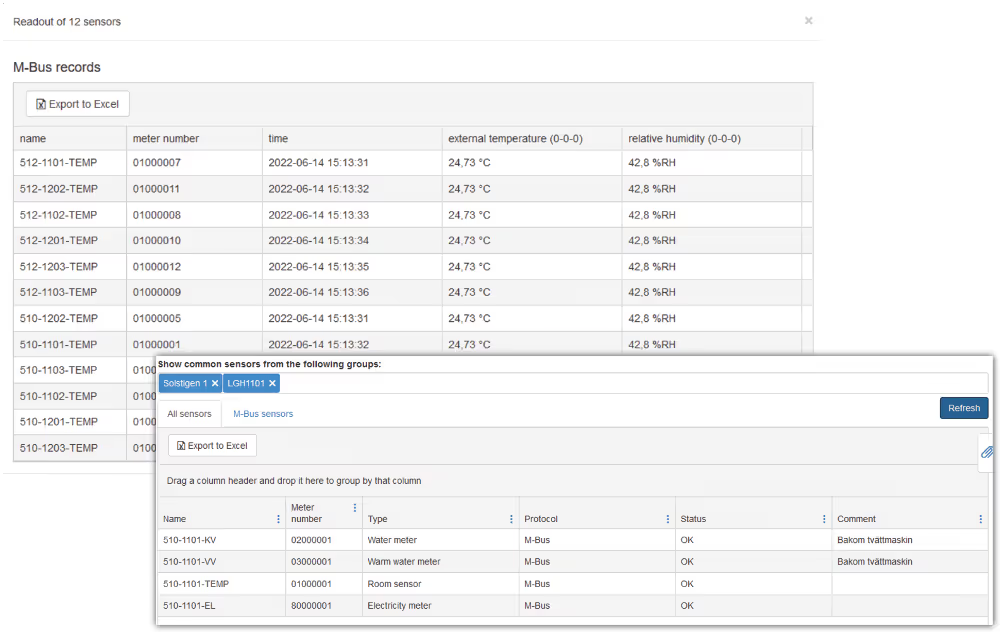
MIVO Connect OS provides a clear overview of the property's connected meters and sensors. Search for individual devices or groups of meters, check communication status, and view current readings directly in the interface.
This makes it easier to commission, monitor, and troubleshoot meter data collection and quickly identify meters that are not communicating as they should.
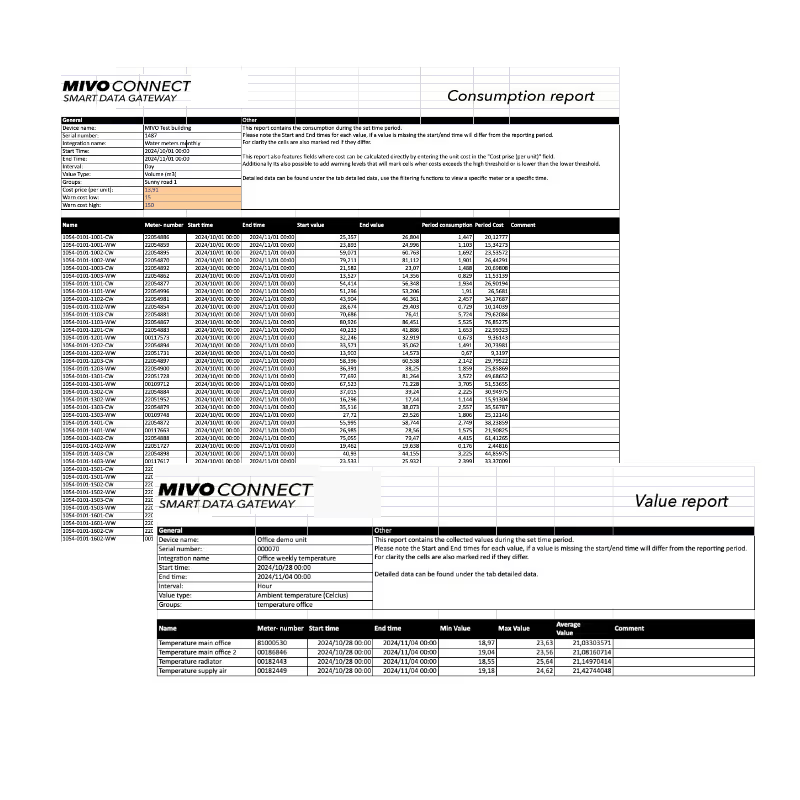
You order the service as a one-time license to MIVO Connect and is therefore not a subscription.
For temperature measurement, reports with min, max and average values can be used for temperature analysis, energy monitoring and optimization of the property's heating. The report function is ordered as a one-time license for MIVO Connect and does not require an ongoing subscription.
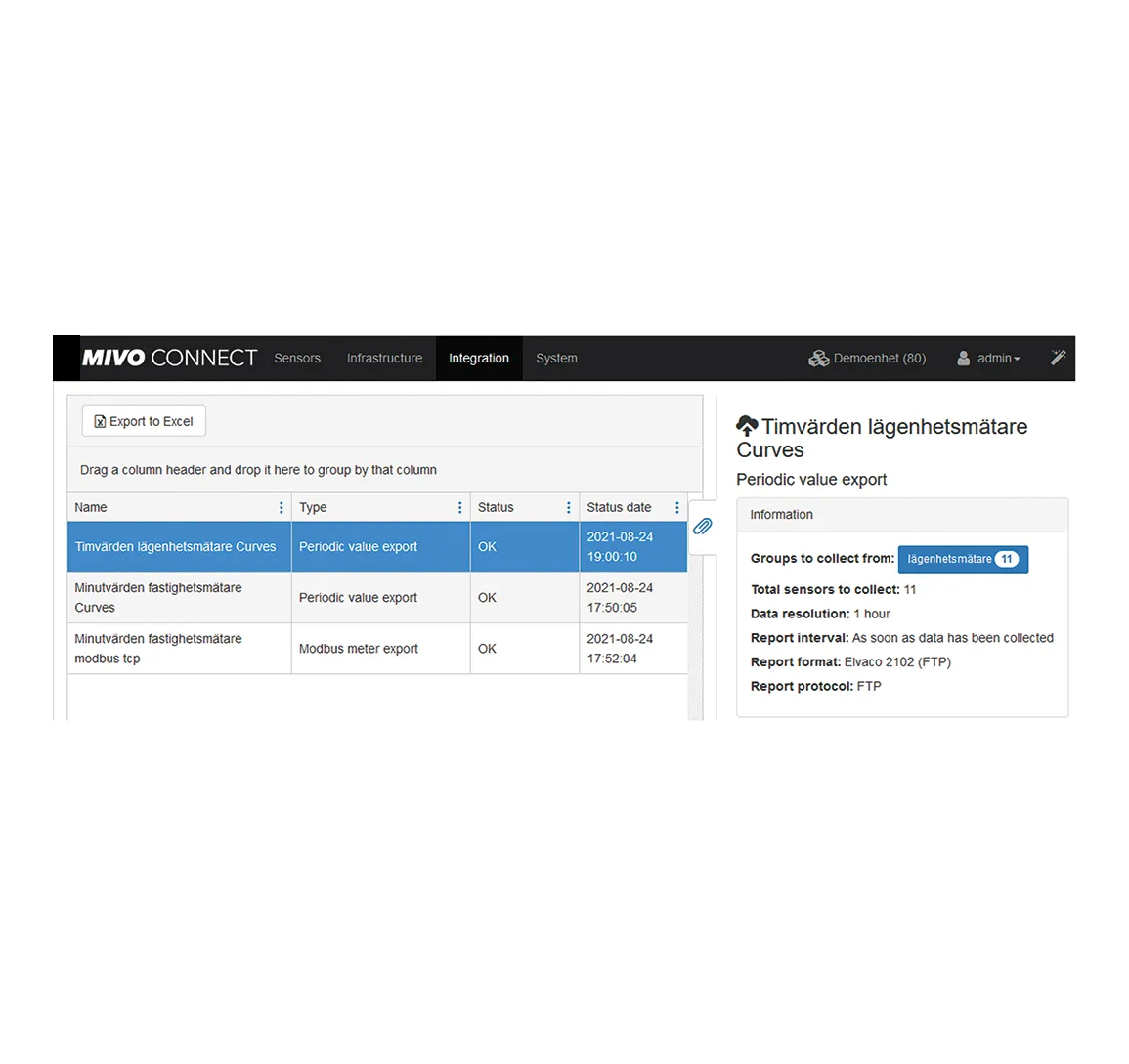
MIVO Connect OS makes it possible to share meter data with multiple external systems simultaneously. You choose which meters and readings to send to each system and how often data should be exported.
Meter data can, for example, be shared with systems for submetering (IMD), energy monitoring, analysis, and building automation. MIVO Connect supports standardized protocols and interfaces such as HTTP/HTTPS and JSON, FTP/FTPS, M-Bus over IP, as well as Modbus TCP and RTU. New integrations and protocols can be added through software updates.
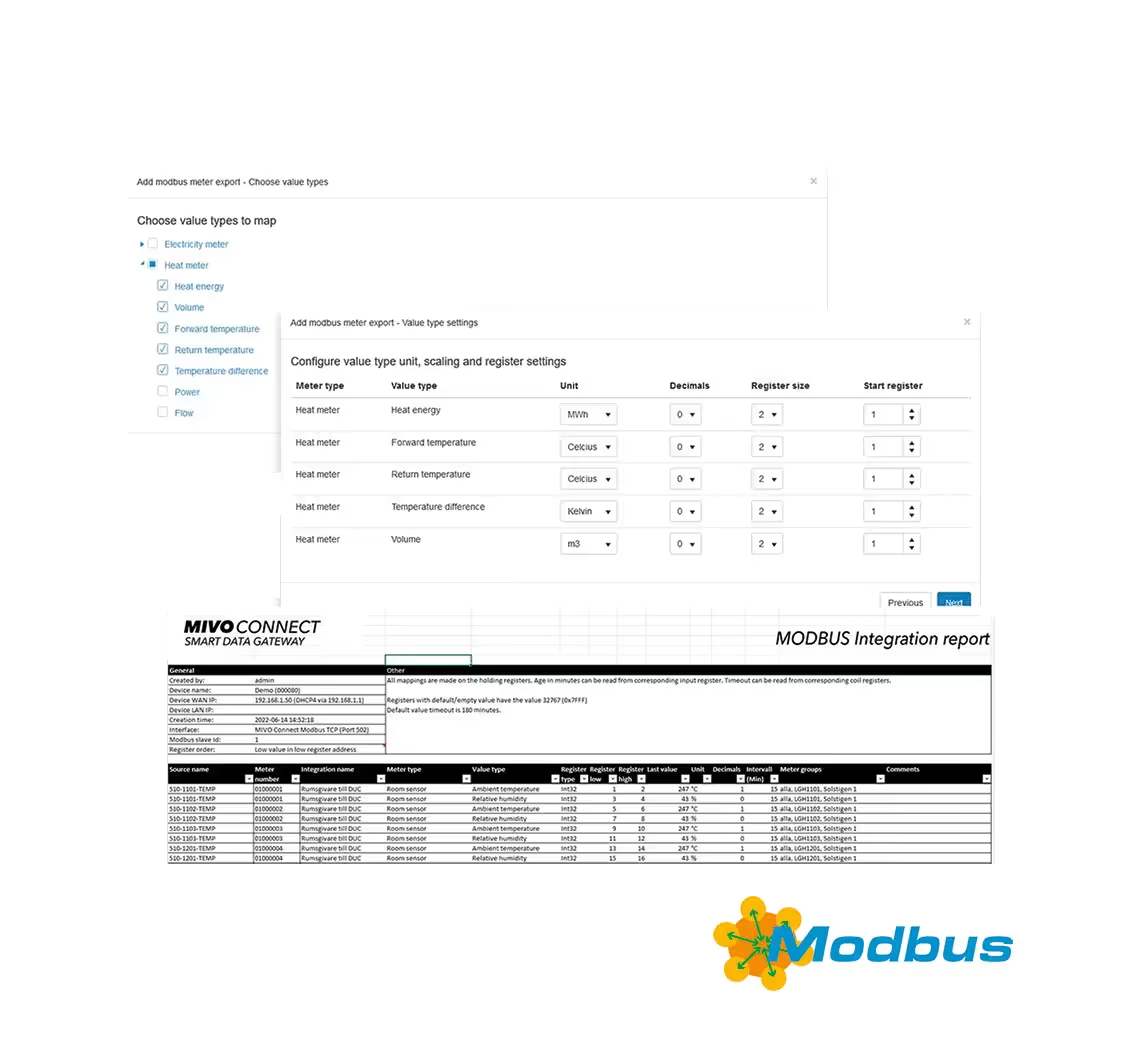
The wizard in MIVO Connect OS helps you with mapping of meters. Whether it is one or more meters to be mapped, the wizard will help you choose the meter, the measurement interval, the values to be exported, and the desired magnitude of the values.
The unit will then give you a suggestion and when you are done, you can download an Excel file containing all the tags you have chosen to export. 100s of mappings now only take a few minutes to do.